Simplifying Healthcare with Smart Hospital Software

DOCTOR'S APP

Doctor App for Patient and Appointment Management

Mediquince Doctor's App

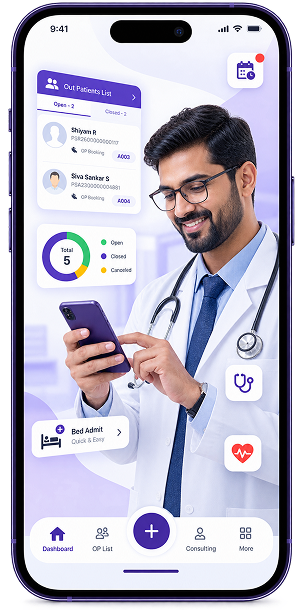
Manage patient details, appointments, consultation queues and admissions through one mobile app, with performance dashboards and quick access to hospital workflows.

App Store
Play Store
Mediquince Doctor's App hero phone mockup
OP Patients list illustration
1 OP PATIENTS LIST

Manage Your OP Patients with Ease

View and organize your outpatient queue in one place, with patient details, visit reasons, booking times, and consultation status available instantly. Quickly identify patients who are open, on hold, or completed.

  • Faster access to important information
  • Simple, focused workflow
  • Designed around everyday doctor needs
2 DASHBOARD

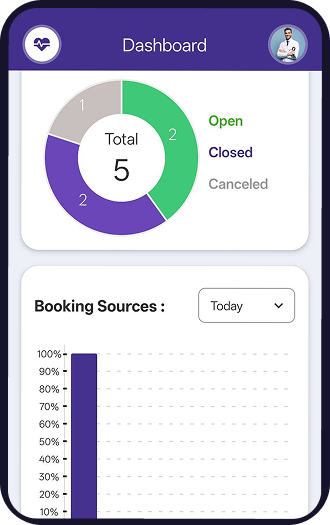
Get a Clear View of Your OP Performance

Track total patients, open and closed consultations, and booking sources from a simple visual dashboard. Monitor daily OP activity and understand patient flow at a glance.

  • Live Dashboard
  • Booking Analytics
  • Patient Flow
Dashboard phone mockup
Bed admit illustration
3 BED ADMIT

Streamlined Patient Admission

Access essential patient information before admission, including age, gender, blood group and contact details. Review the patient's information and proceed with admission without unnecessary delays.

  • Smart Admission
  • Patient Profile
  • Bed Management
4 DOCTOR DASHBOARD

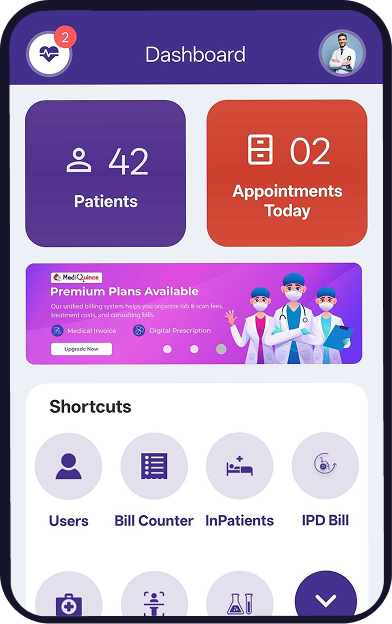
Everything You Need, Right on Your Dashboard

Access frequently used functions such as patients, billing, inpatient management, scans, and laboratory services from one convenient dashboard. Quick shortcuts help doctors navigate essential hospital workflows faster.

  • Quick Actions
  • Smart Workflows
  • Easy Access
Doctor dashboard phone mockup
Consulting phone mockup
5 CONSULTING

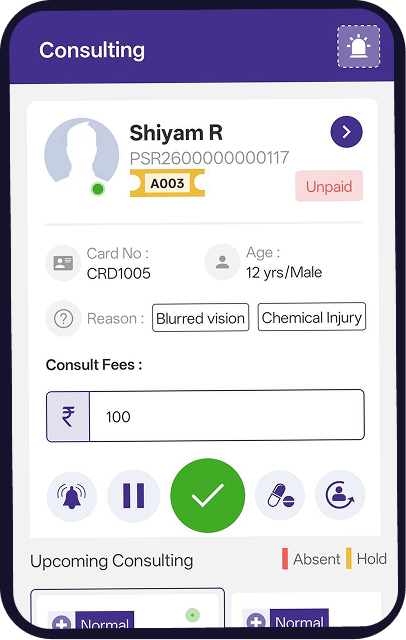
Manage Your Consultations Efficiently

View your consultation queue, patient details, visit reasons, and payment status from a single screen. Quickly move patients through the consultation workflow, place patients on hold, or mark consultations as completed.

  • Patient Queue
  • Consultation
  • Fee Management
FAQ

Frequently Asked Questions

Can doctors manage their outpatient consultation queue using the Mediquince Doctor App?

Yes. Doctors can view outpatient patients, check visit reasons and booking times, and monitor consultation status. They can also place patients on hold or mark consultations as completed.

Does the Mediquince Doctor App provide patient and revenue dashboards?

Yes. The app provides a dashboard showing total patients, open and closed consultations, booking sources and outpatient activity. It also helps doctors review their patient flow and practice performance.

Can doctors access patient admission and hospital services through a mobile app?

Yes. Mediquince provides patient admission access, including essential patient details, and shortcuts to hospital functions such as billing, inpatient management, scans and laboratory services.

What features should doctors look for in a mobile doctor app?

Doctors should look for outpatient patient management, consultation queue tracking, patient information access, appointment management, performance dashboards, admission access and billing integration. These features help doctors coordinate clinical activities while away from their desktop systems.